


Awareness and Action In-Feed Video
Downloading a video file
The below instructions explain how to download videos directly to your phone to upload to your social media.
Desktops (recommended)
-
Open the mp4 link
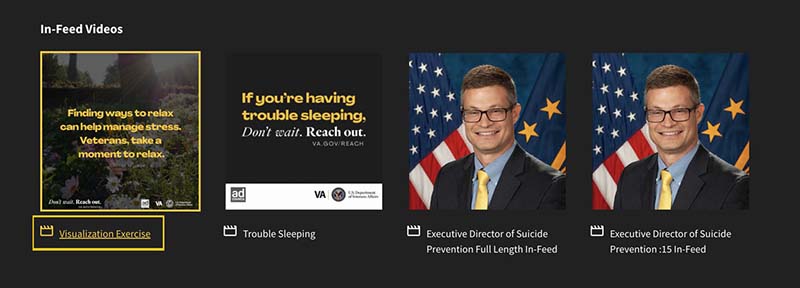
-
Go to "File" and then "Save Page As"
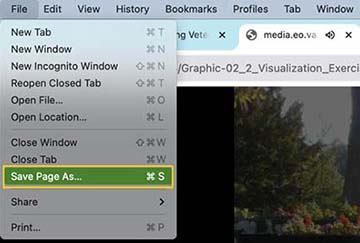
-
"Save Page As" will prompt you for where to download it to or automatically download it to your "Downloads" folder
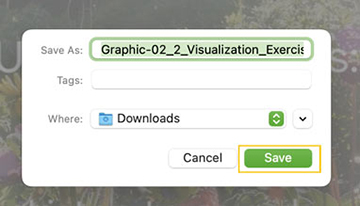
-
Navigate to your social media account and upload the downloaded file from that folder
iPhone - Safari
-
Open the mp4 link
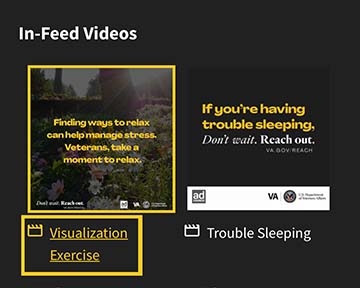
-
Exit full screen by tapping the "Picture in Picture" icon overlaying the image, then X out

-
In the bottom bar, under the URL, tap the "Share" icon
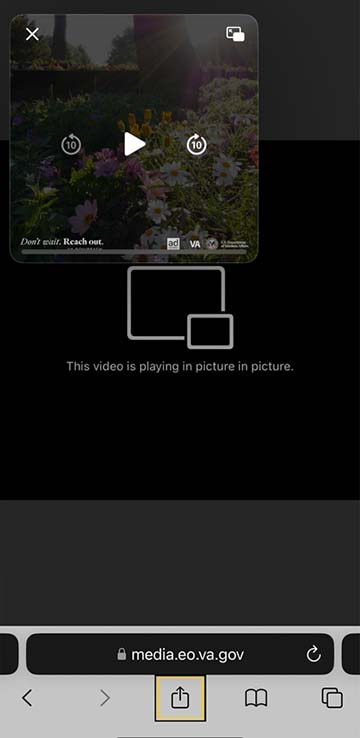
-
Select "Save to Files" then "Save"
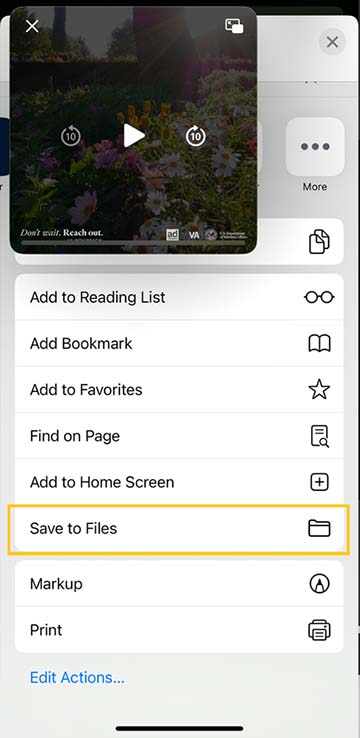
-
Navigate to your "Files" app
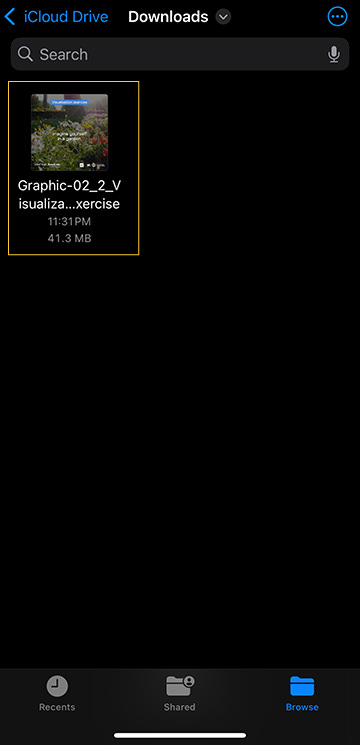
-
Select the video that you downloaded and tap the "Share" icon
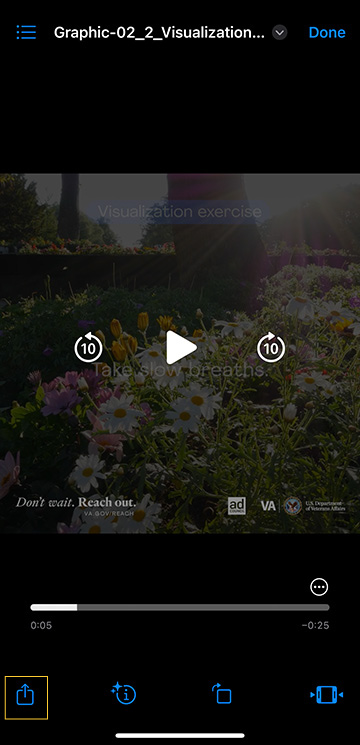
-
Select the social media app you want to share to
Android - Edge
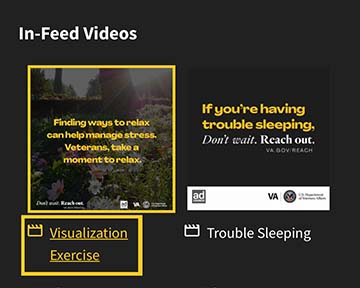
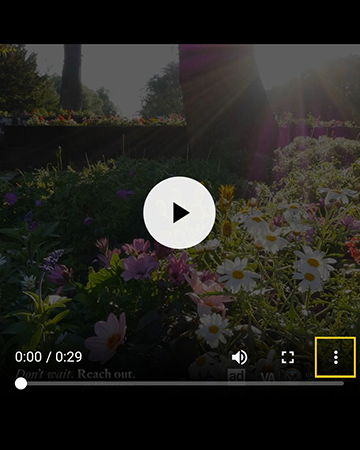
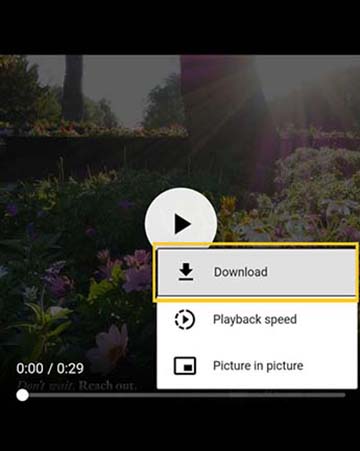
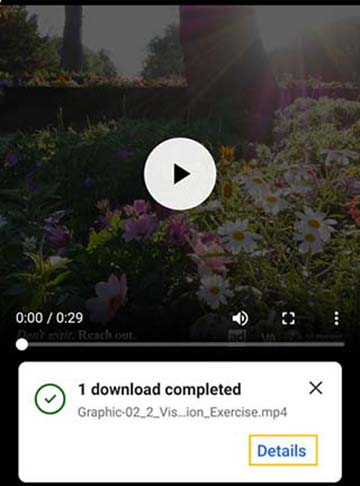
Support can start with a conversation. Faith leaders, find resources to support Veterans in your community at VA.gov/REACH/faith.
Related Resources3 Resources
- Resources for the Faith CommunityLearn how support and help Veterans within the congregations and communities you belong to and serveVisitva.gov
- VA Center for FaithAssistance for Veterans support groups, suicide prevention, Veteran outreach, clergy and congregation training, and moreVisitdepartment.va.gov
- How Faith Communities Can Help Reduce Mental Health StigmaA rabbi’s perspective on three steps faith communities can take to influence attitudes and strengthen support for people with mental health challengesVisitbehavioralhealthnews.org