


Money Challenges In-Feed Video
Downloading a video file
The below instructions explain how to download videos directly to your phone to upload to your social media.
Desktops (recommended)
-
Open the mp4 link
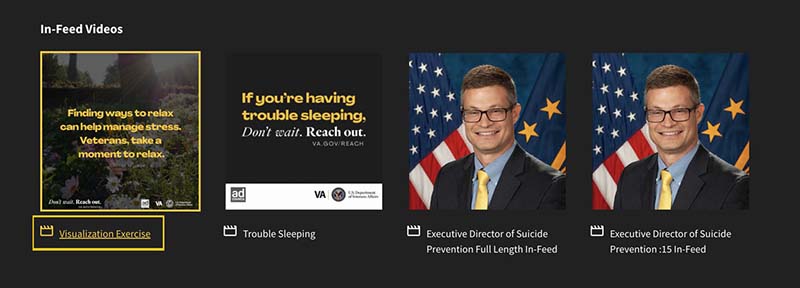
-
Go to "File" and then "Save Page As"
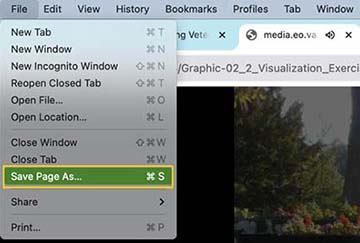
-
"Save Page As" will prompt you for where to download it to or automatically download it to your "Downloads" folder
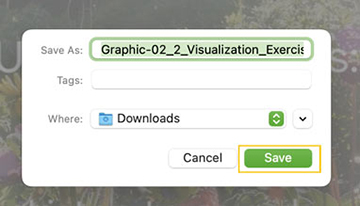
-
Navigate to your social media account and upload the downloaded file from that folder
iPhone - Safari
-
Open the mp4 link
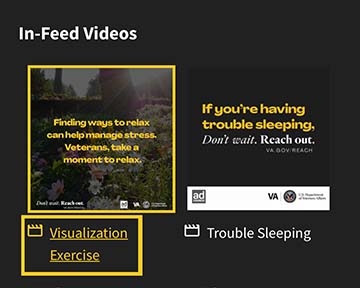
-
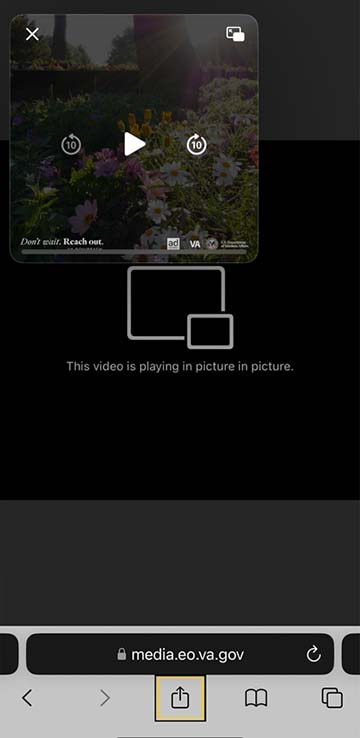
Exit full screen by tapping the "Picture in Picture" icon overlaying the image, then X out

-
In the bottom bar, under the URL, tap the "Share" icon
-
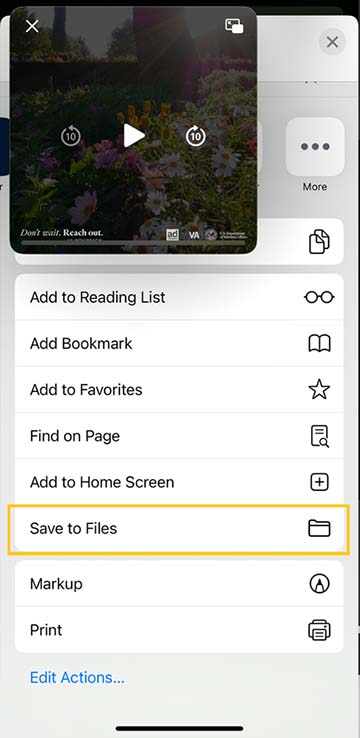
Select "Save to Files" then "Save"
-
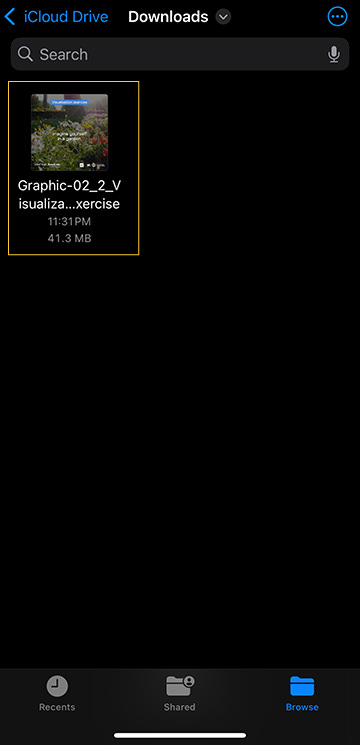
Navigate to your "Files" app
-
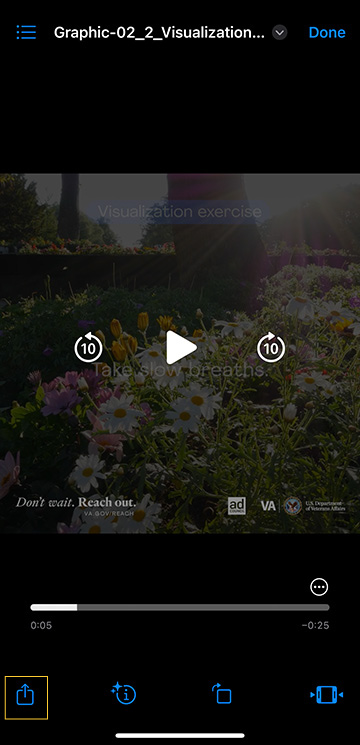
Select the video that you downloaded and tap the "Share" icon
-
Select the social media app you want to share to
Android - Edge
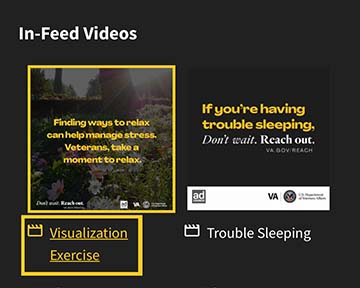
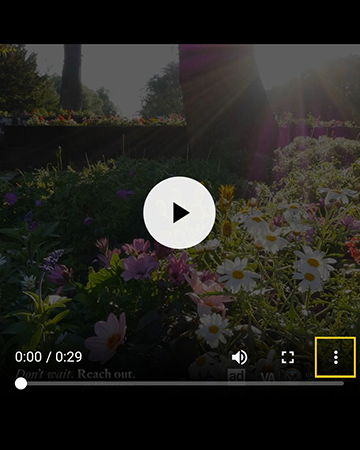
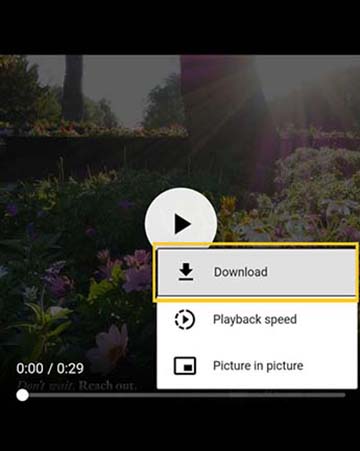
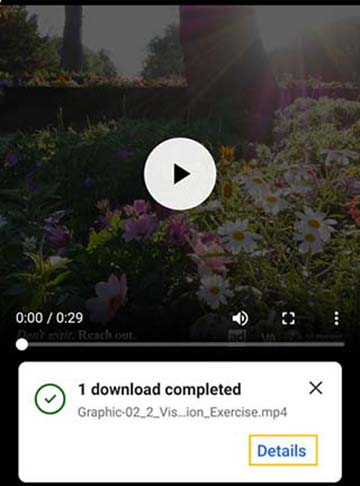
If you're having money challenges, don't wait. Reach out. Don't wait. Find resources at VA.gov/REACH. #VetsReachOut
Related Resources3 Resources
- National Veterans Financial Resource Center (FINVET)Access resources to learn more about paying for basic needs, managing debt, tips for saving more money, and learning how to increase incomeVisitmirecc.va.gov
- National Call Center for Homeless VeteransInformation on the National Call Center for Homeless VeteransVisitva.gov
- VA Legal Services for Veterans (LSV) ProgramEquitable access to legal services through federal grant funding and pro bono on-site legal clinics for VeteransVisitva.gov